
· By KAI
Key Takeaways:
- Learn two methods to add music to your Instagram story.
- Discover how to use the music sticker feature.
- Find alternatives if the music feature isn’t available.
Adding music to your Instagram story can enhance your posts and engage your audience better. Whether you want to share a favorite song or set a mood with background music, Instagram provides a couple of methods to do this effectively. In this tutorial, we will explore two ways to add music, ensuring you can create the perfect story with your desired soundtrack. Let’s jump straight into how you can effortlessly add music to your Instagram stories.
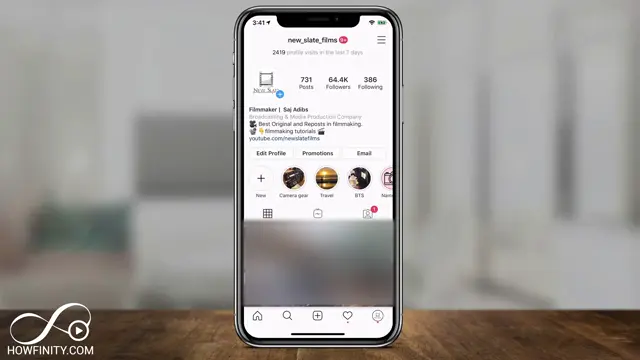
Step 1: Open Instagram and Log In
Launch the Instagram app on your device. Ensure that you are logged into the account where you want to post the story. This is the crucial first step to access your story features.
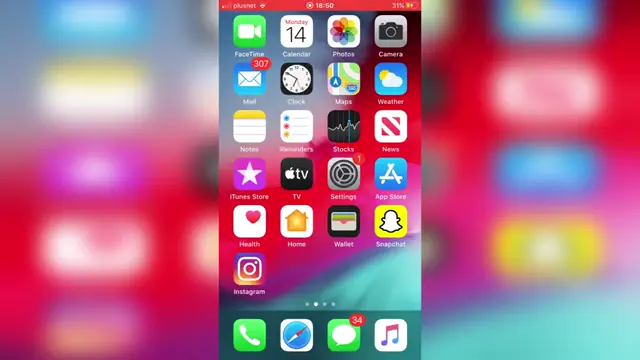
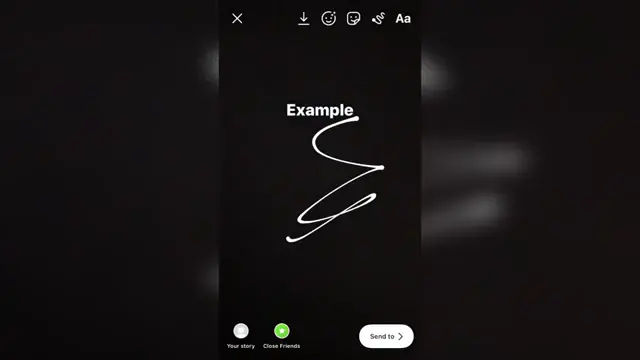
Step 2: Use the Music Sticker Feature
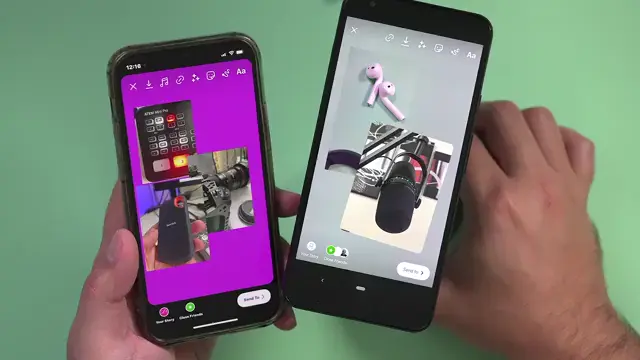
To add music, take a picture or select existing content for your story. Then, tap on the sticker icon (the third icon along) to access the music sticker feature and choose a song from the available options.
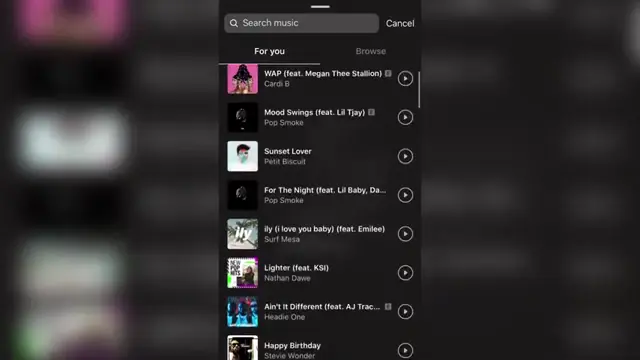
Step 3: Search and Select Your Music
Once you’re in the music sticker section, you can browse popular songs or search for a specific track. Tap on the song you want to add to your story and customize the segment of the song you wish to use.
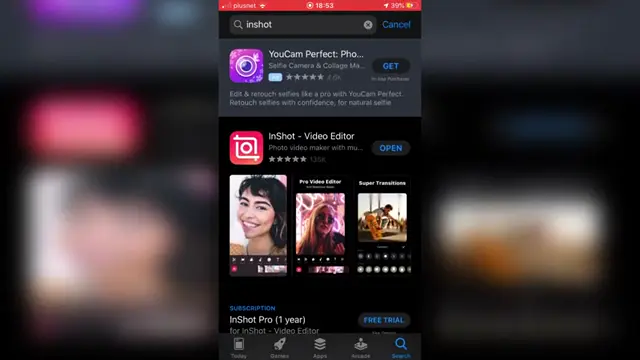
Step 4: Use an Alternative App to Add Music
If the music feature isn’t available on your Instagram account, download an app like InShot Video Editor from the app store. This app enables you to add music to videos which you can then upload as your Instagram story.
How to Troubleshoot Music Sticker Issues on Instagram Stories?
If you’re encountering issues with the music sticker on Instagram stories, try clearing the app cache and updating Instagram to the latest version. This can resolve most common problems users face.
Here are a few troubleshooting steps that can help:
- Check for Updates: Make sure your Instagram app is updated to the latest version to access all features.
- Clear Cache: On Android, go to Settings > Apps > Instagram > Storage > Clear Cache. For iPhone, you can try reinstalling the app.
- Check Region Restrictions: Some songs may not be available in specific regions due to licensing issues. If a song is missing, it could be due to geographical restrictions.
- Reinstall the App: Uninstall and reinstall Instagram to potentially resolve any persistent issues.
Following these steps should help restore your access to the music sticker feature, ensuring your stories are enhanced with your favorite tunes.
Frequently Asked Questions
Can I add music to my Instagram story without the sticker feature?
Yes, you can use third-party apps like InShot to add music to your videos before uploading them to Instagram.
What should I do if I can’t find the music feature on Instagram?
If you don’t see the music feature, try updating the app or using third-party apps to add music to your stories.
How do I choose which part of a song to use in my story?
After selecting the song, you can choose the specific segment of the song to play in your story by adjusting the settings in the music sticker.
Is the process to add music the same for videos and photos on Instagram stories?
Yes, the process is similar: both require you to use the sticker feature to add music, regardless of whether you’re uploading a video or a photo.
Watch the Video Tutorial
Conclusion
Incorporating music into your Instagram stories can significantly enhance viewer engagement. By following these methods, you can easily add your favorite tracks to your stories, making your content more lively and expressive. To discover more creative ideas for your Instagram content, view this Top 10 pixar movies in copy and paste format.
{“@context”:”https://schema.org”,”@graph”:[{“@type”:”HowTo”,”name”:”How to Add Music to Your Instagram Story”,”description”:”Learn to add music to your Instagram story easily with our step-by-step guide. Perfect for creating engaging content!”,”step”:[{“@type”:”HowToStep”,”position”:1,”name”:”Open Instagram and Log In”,”text”:”Launch the Instagram app on your device. Ensure that you are logged into the account where you want to post the story. This is the crucial first step to access your story features.”},{“@type”:”HowToStep”,”position”:2,”name”:”Use the Music Sticker Feature”,”text”:”To add music, take a picture or select existing content for your story. Then, tap on the sticker icon (the third icon along) to access the music sticker feature and choose a song from the available options.”},{“@type”:”HowToStep”,”position”:3,”name”:”Search and Select Your Music”,”text”:”Once youu2019re in the music sticker section, you can browse popular songs or search for a specific track. Tap on the song you want to add to your story and customize the segment of the song you wish to use.”},{“@type”:”HowToStep”,”position”:4,”name”:”Use an Alternative App to Add Music”,”text”:”If the music feature isn’t available on your Instagram account, download an app like InShot Video Editor from the app store. This app enables you to add music to videos which you can then upload as your Instagram story.”}]},{“@type”:”FAQPage”,”mainEntity”:[{“@type”:”Question”,”name”:”Can I add music to my Instagram story without the sticker feature?”,”acceptedAnswer”:{“@type”:”Answer”,”text”:”Yes, you can use third-party apps like InShot to add music to your videos before uploading them to Instagram.”}},{“@type”:”Question”,”name”:”What should I do if I can’t find the music feature on Instagram?”,”acceptedAnswer”:{“@type”:”Answer”,”text”:”If you don’t see the music feature, try updating the app or using third-party apps to add music to your stories.”}},{“@type”:”Question”,”name”:”How do I choose which part of a song to use in my story?”,”acceptedAnswer”:{“@type”:”Answer”,”text”:”After selecting the song, you can choose the specific segment of the song to play in your story by adjusting the settings in the music sticker.”}},{“@type”:”Question”,”name”:”Is the process to add music the same for videos and photos on Instagram stories?”,”acceptedAnswer”:{“@type”:”Answer”,”text”:”Yes, the process is similar: both require you to use the sticker feature to add music, regardless of whether you’re uploading a video or a photo.”}}]}]}



Leave a comment