
Key Takeaways:
- Understand how to locate songs on YouTube.
- Learn the quick steps to download MP3 files.
- Discover how to use YouTube’s audio library.
In this guide, we’ll show you how to download music from YouTube as an MP3 file. It’s a simple and convenient process that allows you to save your favorite tracks directly to your computer. Follow along with these clear steps to ensure you download the audio files correctly.
Step 1: Start the Process
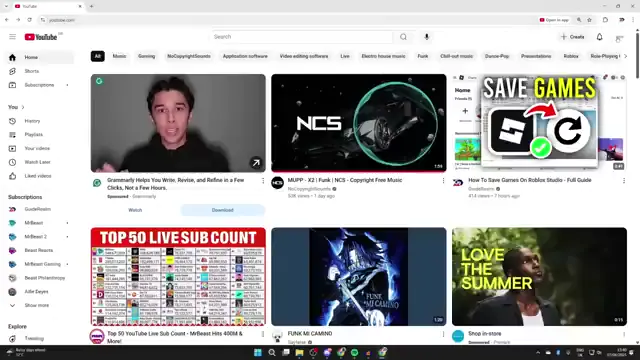
Beginning the download process involves accessing YouTube. Open YouTube in your browser and ensure you’re logged in. This helps you navigate easily to your profile settings.

Step 2: Navigate to YouTube Studio
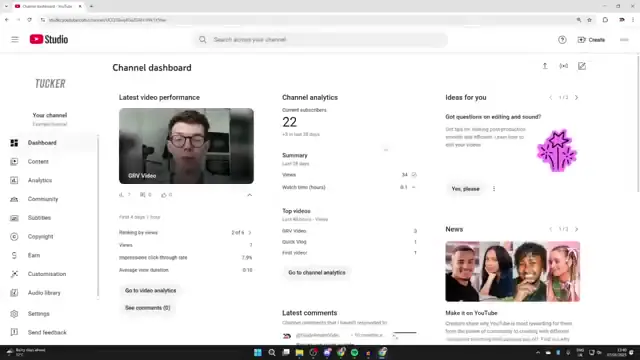
To find the audio files, click on your profile icon located at the top right corner of YouTube and select ‘YouTube Studio’ from the dropdown menu. This will take you to your studio dashboard.
Step 3: Access Audio Library
Once in YouTube Studio, locate the left sidebar and click on ‘Audio Library’. You might need to scroll down to view this option among the available features.
Step 4: Download Your Chosen Track
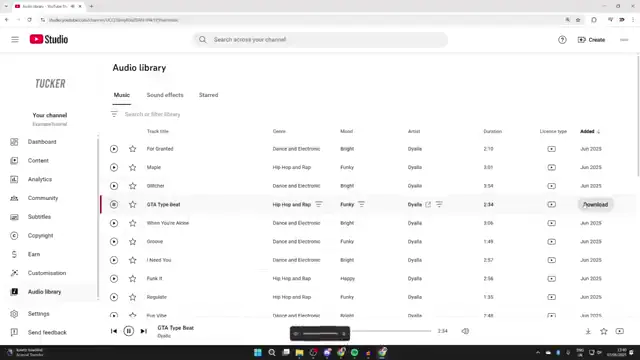
Now browse through the available tracks and select one you enjoy. To download it, simply click the ‘Download’ button located to the right of the track or use the download icon at the bottom right. This will save it as an MP3 file on your computer.
Frequently Asked Questions
Can I download any song from YouTube as MP3?
You can only download songs that are available in the YouTube Audio Library, as these are free to use in your projects.
Is it legal to download music from YouTube?
Downloading music from YouTube is generally against their terms of service unless it’s from the Audio Library, which allows free downloads.
What should I do if the audio library isn’t available?
If you can’t find the audio library, ensure you’re logged into your YouTube account and check your access to YouTube Studio.
Can I use downloaded music for commercial purposes?
Music downloaded from the YouTube Audio Library is free to use in your projects, but check the specific licensing of each track for commercial use.
Watch the Video Tutorial
Conclusion
Following this guide, you can easily download music from YouTube as MP3 files. Enjoy saving and using your favorite tracks effortlessly!





Leave a comment