
Key Takeaways:
- Learn how to find recently watched reels on Instagram.
- Discover tricks to access your Instagram reel history.
- Understand how to view liked reels for easy access.
If you’ve ever watched an Instagram reel and wanted to go back to it later, you might be wondering how to check your recently watched reels. Instagram doesn’t have a dedicated section for this, but there are a couple of tricks you can use to easily find those reels again. In this guide, we’ll walk you through these simple steps to make sure you never lose track of your favorite reels again.
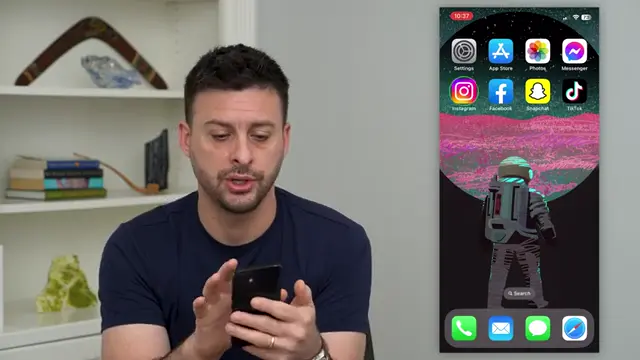
Step 1: Access Your Instagram Reels
Open your Instagram app and tap on the ‘Reels’ icon located at the bottom right corner. This will direct you to the Reels section where you can start scrolling through your recently watched reels.
Step 2: Swipe to View History of Reels
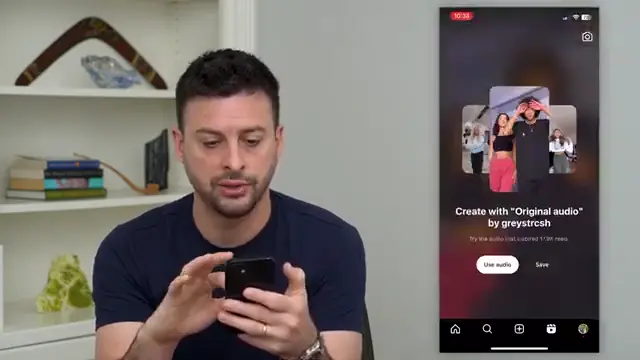
If you want to find a specific reel you’ve recently watched, simply swipe down on the screen once you’re in the Reels section. This will allow you to scroll back through your reel history and find the one you want to re-watch.
Step 3: Find Liked Reels
To locate reels you’ve previously liked, go back to your profile by tapping on the profile icon in the bottom right. From there, tap on the three lines at the top right and select ‘Your Activity’.

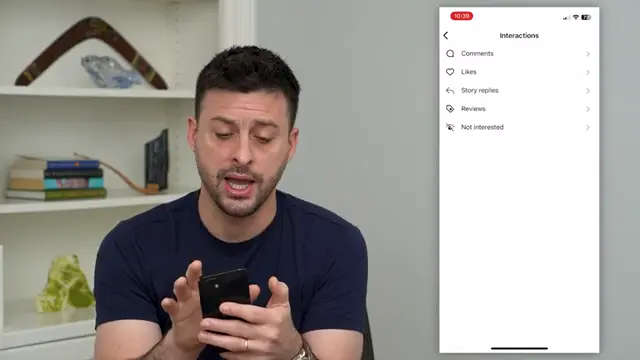
Step 4: View Your Interactions
Within ‘Your Activity’, select ‘Interactions’ and then choose ‘Likes’. This will display all the posts, including reels, that you have liked, allowing you to easily find and watch them again.
Frequently Asked Questions
Can I see a list of all reels I have watched?
Instagram does not currently allow users to see a comprehensive list of all watched reels, but you can scroll through your recent viewing history.
What if I didn’t like a reel, can I still find it?
If you didn’t interact (like or comment) with a reel, it may be difficult to find it again unless it’s still in your recent viewing history.
How long does Instagram keep my reels history?
Your reels viewing history is temporarily available; once you close the app or if enough time passes, it may no longer be accessible.
Is there a way to save reels for future viewing?
Yes, you can save reels by liking them, which allows easy access through your ‘Likes’ activity.
Watch the Video Tutorial
Conclusion
By following these steps, you can easily check your recently watched reels on Instagram and revisit your favorites. Don’t forget to like the reels you love to ensure you can find them later!





Leave a comment