
Key Takeaways:
- Quick steps to disable online status on Instagram.
- Guide to enhance your privacy settings.
- Simple navigation within the Instagram app.
If you’re looking to maintain privacy on Instagram, turning off your active online status is a quick and easy solution. This guide walks you through how to turn off this feature, ensuring that your followers won’t see if you’re online. Follow these straightforward steps to adjust your settings and enjoy a more private Instagram experience.
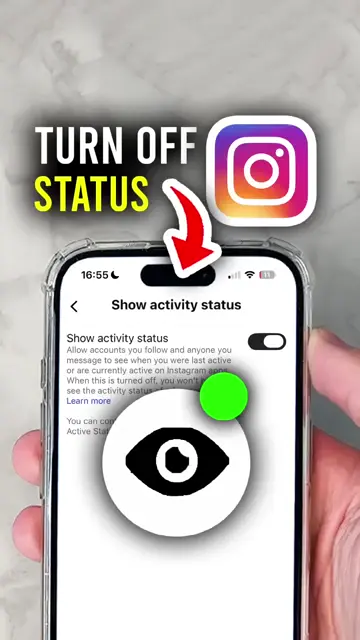
Step 1: Access Your Profile Page
Start by opening the Instagram app and navigate to your profile page. This is where you will begin the process to turn off your active online status.
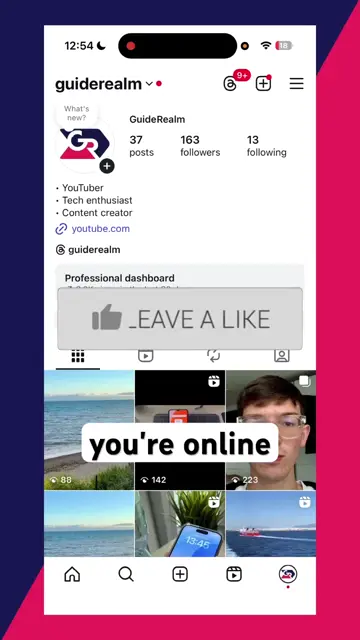
Step 2: Open Menu Options
Tap the three horizontal lines in the top right corner of your profile page. This will open the menu where you can customize your settings.
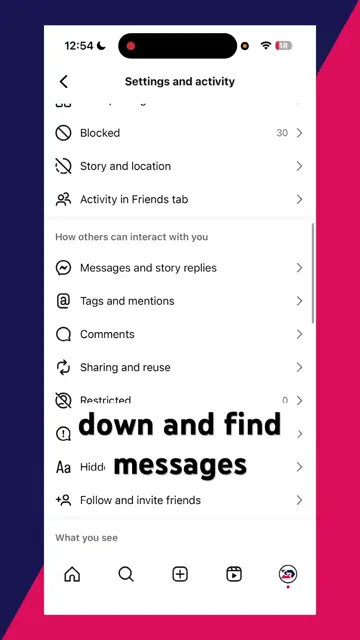
Step 3: Find Activity Status Settings
Scroll down in the menu until you see ‘Messages and Story Replies’. Select it to find the ‘Show Activity Status’ option for turning off your online status.
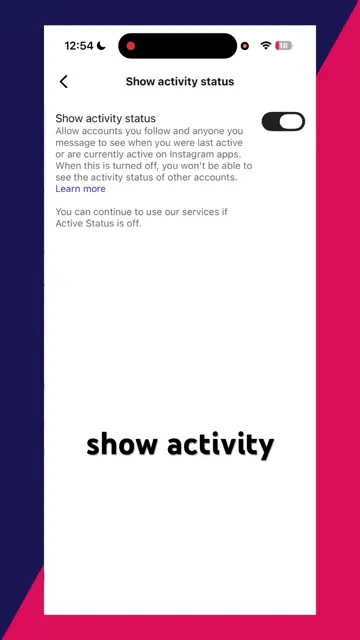
Step 4: Disable Active Status
Toggle the ‘Show Activity Status’ option to off. This step completes the process, ensuring no one can see when you’re online on Instagram.
Frequently Asked Questions
How do I know if my active status is off?
You won’t see a dot next to your profile picture indicating you’re online when active status is turned off.
Can I turn my active status back on later?
Yes, you can re-enable your active status at any time by following the same steps.
Will my followers still see my messages if my status is off?
Yes, they can still see your messages. Turning off the status only hides your online activity.
Is this setting available for all users?
Yes, every user can adjust their active status settings on Instagram.
Watch the Video Tutorial
Conclusion
Disabling your active online status on Instagram gives you greater control over your privacy. By following these simple steps, you can navigate the app and modify your settings effectively.
{“@context”:”https://schema.org”,”@graph”:[{“@type”:”HowTo”,”name”:”Turn Off Active Online Status on Instagram”,”description”:”Learn how to turn off active online status on Instagram with this quick guide. Keep your online activity private now!”,”step”:[{“@type”:”HowToStep”,”position”:1,”name”:”Access Your Profile Page”,”text”:”Start by opening the Instagram app and navigate to your profile page. This is where you will begin the process to turn off your active online status.”},{“@type”:”HowToStep”,”position”:2,”name”:”Open Menu Options”,”text”:”Tap the three horizontal lines in the top right corner of your profile page. This will open the menu where you can customize your settings.”},{“@type”:”HowToStep”,”position”:3,”name”:”Find Activity Status Settings”,”text”:”Scroll down in the menu until you see ‘Messages and Story Replies’. Select it to find the ‘Show Activity Status’ option for turning off your online status.”},{“@type”:”HowToStep”,”position”:4,”name”:”Disable Active Status”,”text”:”Toggle the ‘Show Activity Status’ option to off. This step completes the process, ensuring no one can see when youu2019re online on Instagram.”}]},{“@type”:”FAQPage”,”mainEntity”:[{“@type”:”Question”,”name”:”How do I know if my active status is off?”,”acceptedAnswer”:{“@type”:”Answer”,”text”:”You won’t see a dot next to your profile picture indicating you’re online when active status is turned off.”}},{“@type”:”Question”,”name”:”Can I turn my active status back on later?”,”acceptedAnswer”:{“@type”:”Answer”,”text”:”Yes, you can re-enable your active status at any time by following the same steps.”}},{“@type”:”Question”,”name”:”Will my followers still see my messages if my status is off?”,”acceptedAnswer”:{“@type”:”Answer”,”text”:”Yes, they can still see your messages. Turning off the status only hides your online activity.”}},{“@type”:”Question”,”name”:”Is this setting available for all users?”,”acceptedAnswer”:{“@type”:”Answer”,”text”:”Yes, every user can adjust their active status settings on Instagram.”}}]}]}




Leave a comment