
Key Takeaways:
- Step-by-step guide to delete TikTok videos.
- Understanding the TikTok interface for deleting.
- Confirming deletion of unwanted videos.
Deleting a TikTok video may seem complicated, but it can be done with just a few simple steps. Whether you’re using an iPhone or an Android, this guide will help you quickly learn how to delete the videos you no longer want on your profile. Follow these instructions to free up space on your TikTok account and get a better view of the content you love.
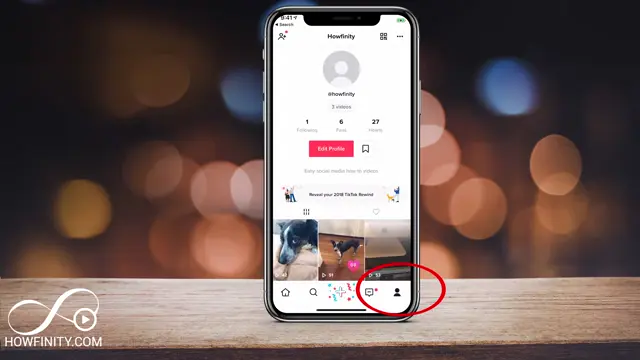
Step 1: Select the Video to Delete
Open your TikTok profile and select the video you want to delete. This is the first step in the deletion process, making it crucial to pick the right video you no longer wish to keep.
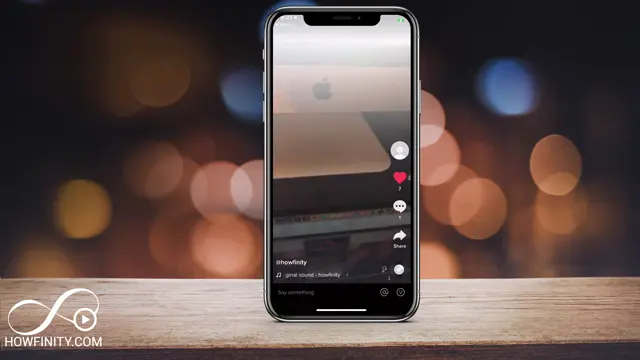
Step 2: Press the Share Icon
On an iPhone, tap the share icon. On Android, look for the three dots in the same location. This action will lead you to the delete option on the next screen.
Step 3: Locate the Delete Option
Scroll to the right until you find the delete option on the second row of the menu that appears. This is essential for confirming the deletion of your video.

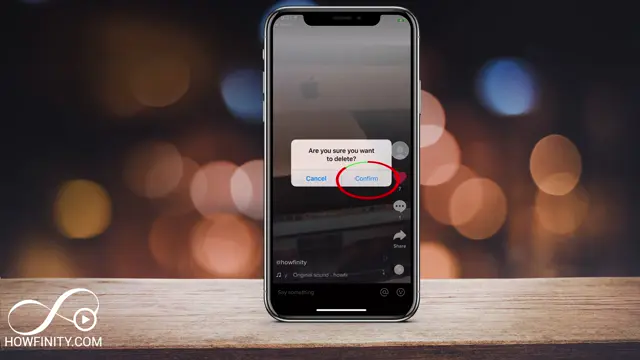
Step 4: Confirm Deletion
After selecting delete, confirm the deletion process. This step ensures that the video is permanently removed from your TikTok profile, so proceed with caution.
Step 5: Complete the Deletion Process
Once you have confirmed the deletion, the video will be permanently removed from your profile. Make sure you want to delete it, as this action cannot be undone.

Frequently Asked Questions
Can I recover a deleted TikTok video?
No, once you delete a TikTok video, it cannot be recovered.
Is deleting a TikTok video permanent?
Yes, deleting a video from TikTok is a permanent action.
Will deleting a TikTok video affect my profile views?
Yes, removing videos that are not performing well can help improve the overall quality of your profile.
How long does it take to delete a TikTok video?
The deletion process is instantaneous once you confirm the delete option.
Watch the Video Tutorial
Conclusion
In conclusion, deleting a TikTok video is a straightforward process that can help streamline your profile. By following these steps, you can effectively manage your content and keep only what you truly want to share.



Leave a comment