
· By KAI
Quick answer: A Discord User ID is a unique numeric identifier associated with your account, while a Discord username is a customizable name that you display to others. User IDs are consistent and permanent, whereas usernames can change and are less reliable for identification purposes.
- A Discord User ID is a long numeric string that uniquely identifies your account.
- Usernames are customizable and can change over time.
- User IDs are used for technical purposes such as bot development.
- Both are important, but serve different functions within the Discord ecosystem.
- Understanding both can enhance your Discord experience and user interaction.
What is a Discord User ID?
A Discord User ID is a unique identifier assigned to every user on the platform. This ID consists of 18 digits and remains constant throughout your time on Discord, even if you change your username. Because it does not change, it is often preferred for programmatic uses, such as when interacting with Discord’s API or for bot development. The User ID also acts as a reliable reference point when developing applications that need to verify user interactions or permissions, making it critical for developers.
What is a Discord Username?
A Discord username is a public handle that other users see and can use to mention you. Usernames allow for customization; you can change them whenever you wish, thereby giving you the flexibility to rebrand your presence as your preferences evolve. The username is often displayed in conversations and interactions, serving as a more personable way to identify users within Discord communities. Unlike User IDs, which are fully numeric, usernames can include letters, numbers, and special characters, enabling creative expressions.
Why is it Important to Know the Difference?
Understanding the difference between your Discord User ID and username is crucial for effective communication on the platform. While your username can change and may not be unique in all contexts, your User ID is a definitive marker for user identification. This distinction matters especially in environments with many users, helping prevent confusion when mentioning or addressing individuals directly. For instance, if two users have similar usernames, referencing them by their User IDs ensures that you are targeting the correct individual, thereby enhancing clarity in communication.
How Does Each Serve Different Purposes?
Discord User IDs allow developers and bots to interact precisely with specific users and data, crucial for managing permissions and tracking user activity. The permanence of User IDs makes them indispensable in programming contexts, as it eliminates any potential discrepancies that may arise due to username changes. On the other hand, usernames enhance the user experience by facilitating greater social interaction and personalization. They provide a way for users to express their identities and foster a more engaging community. For example, developers might use user IDs to automate friend requests, while users might find it easier to chat or play games with friends using usernames.
Where Can You Find Your Discord User ID?
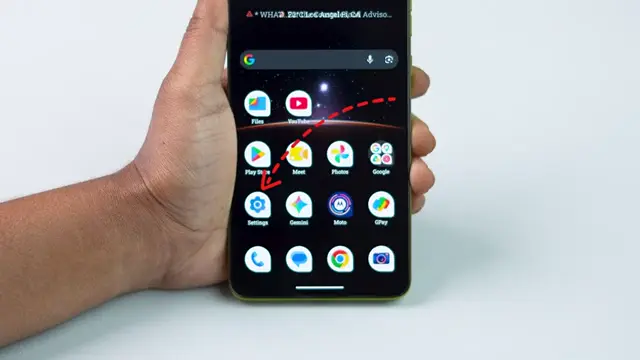
Your Discord User ID can be found through the app settings. If you’re unsure how, refer to our comprehensive guide on finding your Discord User ID on mobile for step-by-step instructions. Additionally, you can find your User ID by right-clicking on your profile in a server or direct message if you have ‘Developer Mode’ enabled in your settings; this enables the option to copy User IDs from profiles effortlessly. Remember, knowing where to find this ID can be essential for developers needing to code specific interactions.
Which One Fits You, User ID or Username?
If you’re looking to interact casually on Discord and engage with communities, focus on personalizing your username, as it defines your presence within chats and servers. Usernames can reflect hobbies, favorite characters, or incorporate fun elements, adding flair to communications. However, if you are a developer or managing a server requiring fine-tuned control over user permissions, understanding and utilizing the User ID will be crucial for your tasks. User IDs are vital for tech-savvy users wanting to create bots or custom integrations, making their use essential in those scenarios.
Common Mistakes When Using User IDs and Usernames
A common mistake is assuming usernames are unique across all accounts. Remember that usernames can be duplicated, making it less reliable for identification purposes. For example, if two users have the username “Gamer123,” it can become confusing when someone mentions it in a server. Additionally, failing to use the User ID for API calls can lead to errors, as usernames change, but IDs do not. It is always prudent to check whether you are using a User ID or username in your communications or programming efforts to ensure accuracy and avoid errors.
Who Should Not Rely On Usernames Alone?
If you are involved in programming or bot development on Discord, relying solely on usernames could lead to confusion, especially if users frequently change theirs. Always employ User IDs in technical contexts for accuracy and reliability. For instance, when creating a Discord bot that assigns roles based on user interactions, using User IDs will ensure that role assignments are carried out correctly regardless of username changes. This practice helps in maintaining the functionality and performance integrity of your bot.
When to Use Each: A Decision Framework
When deciding whether to use a username or User ID, consider the context:
- If you’re identifying someone in a casual chat, use their username for a more engaging conversation.
- If you’re coding or managing server permissions, opt for their User ID to ensure precision.
- For any official interactions, such as reporting issues or bugs, stick with IDs to avoid misidentification and confusion.
Can User IDs Be Used for More Than Identification?
Yes, Discord User IDs can also assist in user management tasks. They are essential when building custom bots or integrating third-party tools that require user interaction data. For example, if you’re developing a moderation bot for a Discord server, you’ll need to use User IDs to restrict permissions and roles effectively. By knowing how to utilize both User IDs and usernames effectively, you can navigate Discord’s features more seamlessly, making your bot experiences and community interactions smoother.
How Do User IDs Impact Discord Security?
User IDs enhance security by providing a fixed reference point for user accounts. Moreover, they are commonly used in bot development for authentication and permission systems. Knowing how to utilize these IDs correctly can help secure your interactions and better manage privacy settings on your account. For example, bots that collect user data for administrative purposes need to access accurate identification through User IDs to ensure that data is stored and managed safely. By understanding the significance of these IDs, you can take proactive steps to enhance your account security on the platform.
Alternatives Worth Considering
While Discord User IDs and usernames are integral to your interaction on the platform, there are alternatives and additional identifiers to consider if you plan on creating a sizable or engaging community. For example, using avatars and profile pictures can personalize user experiences, while Discord tags (like #1234) can also provide another layer of identification. Teams or community groups on Discord might also leverage role assignments as a method to differentiate members and enhance interaction.
Which One to Choose: A Decision Checklist
When deciding whether to prioritize User IDs or usernames in your Discord interactions, consider the following checklist:
- Are you engaging in casual conversation? Use usernames.
- Are you working on developing a bot? Use User IDs.
- Are you managing users for a community? Rely on IDs for accurate data management.
- Are you planning on rebranding your identity on Discord? Focus on your username.
- Will your tasks involve frequent interactions with the API? Stick with User IDs for consistency.
FAQ
Is Discord User ID the same as username?
No, a Discord User ID is a unique numerical identifier, while a username is a customizable name used for display.
Is a User ID the same as a username?
No, they are different; User IDs are numeric and permanent, while usernames can change and are not unique globally.
What is your Discord username and ID?
Your Discord username is your chosen identifier, while the User ID is a unique number assigned to your account.
What can someone do with a Discord User ID?
A Discord User ID can help identify users, manage permissions, and be used in bot development.
How do I get my Discord ID on mobile?
To get your Discord ID on mobile, follow the instructions in the comprehensive guide for your mobile device.
Final Thoughts
Understanding the differences between Discord User IDs and usernames is essential for optimizing your experience on the platform. User IDs provide a stable reference for identification and development, while usernames allow for social interaction. Use each appropriately to enhance your engagement on Discord. Knowing when to use User IDs versus usernames can lead to clearer interactions and prevent potential misunderstandings, ultimately making your time on Discord more enjoyable.


Leave a comment