
Key Takeaways:
- Locate your Apple ID password in settings on iPhone.
- Check Google account password manager for saved passwords.
- Learn how to reset your Apple ID password easily.
If you’ve forgotten your Apple ID password, don’t worry. In this guide, we will walk through several simple methods you can use to find or reset your Apple ID password on your iPhone. Whether it’s retrieving it from your device settings or your Google account, you’ll have the steps you need to regain access quickly. Let’s dive into these methods!
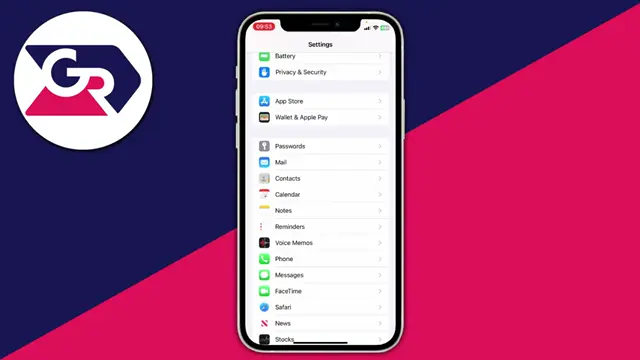
Step 1: Access Passwords in Device Settings
Start by unlocking your iPhone and opening the Settings app. Scroll down and tap on ‘Passwords’. If you have Face ID or Touch ID enabled, you’ll need to authenticate to view saved passwords. This section may have saved your Apple ID password if it was utilized previously.
Step 2: Check Google Account Password Manager
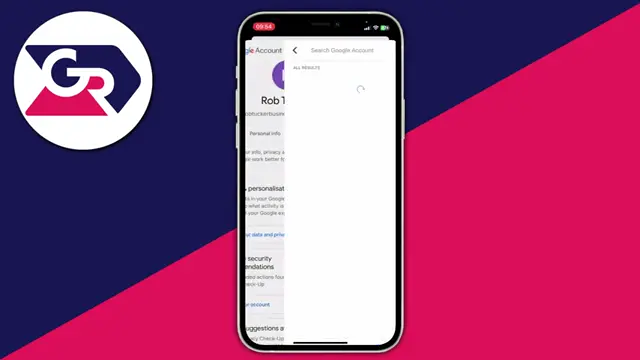
Next, open a Google app such as Google or Chrome on your iPhone. Tap your profile picture in the top right corner to ensure you are signed in. Once signed in, use the search feature (magnifying glass) to search for ‘password’ within your Google account. This may reveal any saved passwords, including your Apple ID if done previously.
Step 3: Reset Your Apple ID Password
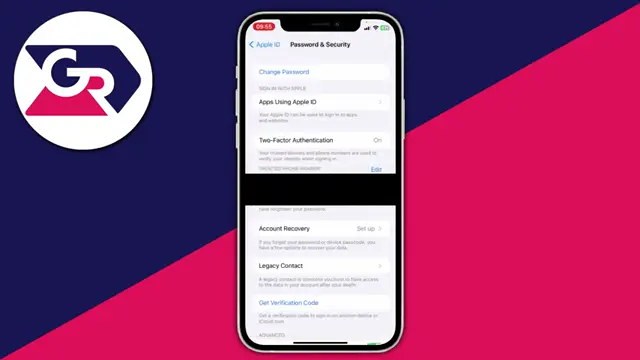
If you can’t find your password, you can reset it directly from your iPhone. Open Settings and tap your Apple ID at the top. Go to ‘Password & Security’ and select ‘Change Password’. Follow the prompts to enter a new password and regain access to your account.
Also recommended: The Complete Guide to Understanding Password Manager for more step-by-step guidance.
Frequently Asked Questions
How do I find my Apple ID password on iPhone?
You can find your Apple ID password by going to Settings > Passwords, and then authenticating with Face ID or Touch ID.
Can I check my Google account for Apple ID password?
Yes, if you’ve saved your Apple ID password to Google, you can find it using the Google app or Chrome settings.
What if I can’t remember my Apple ID password?
If you can’t remember your Apple ID password, you can reset it by going to Settings > [Your Name] > Password & Security, then selecting ‘Change Password’.
Is it safe to store passwords in my device?
Yes, it’s generally safe to store passwords in your iPhone as long as you enable security features like Face ID, Touch ID, or a strong passcode.
Watch the Video Tutorial
Conclusion
Finding or resetting your Apple ID password is a straightforward process. By using your iPhone’s settings or checking your Google account, you can regain access to your Apple ID without hassle. Don’t forget to keep your passwords secure!



Leave a comment