
Key Takeaways:
- Understand how to activate the promote button.
- Learn the steps to promote a post on Instagram.
- Discover audience targeting and budgeting for promotions.
Using the Instagram promote button is a great way to expand your reach and engage more followers. Whether you’re promoting a product or a special event like a film festival, this tool allows you to target a specific audience effectively. In this guide, we’ll walk you through the steps to activate and use the Instagram promote button to boost your posts. By following these instructions, you’ll learn how to set your budget, select an audience, and start promoting your content.
Step 1: Locate the Promote Button on Your Profile
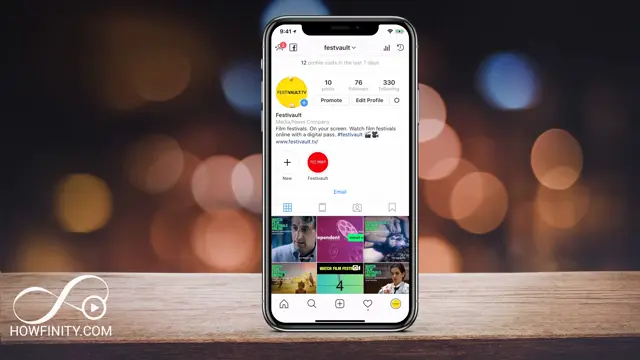
To start using the Instagram promote button, first, make sure you have a business profile. Click the ‘Promote’ button on your Instagram profile to proceed. If you don’t see it, check if your account is set up correctly as a business account.
Step 2: Switch to a Business Account
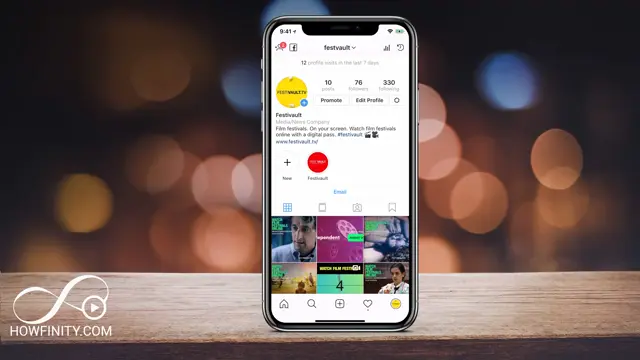
If your account isn’t a business profile yet, click the Settings icon next to your profile. From the options menu, select the option to switch to a business account, which enables the promote button and additional features.
Step 3: Select a Post to Promote
Next, select a post to promote by pressing the plus icon on your Instagram feed. Choose the image or video you want to advertise, then click ‘Next’ after you’ve selected your media.
Step 4: Set Your Promotion Objective
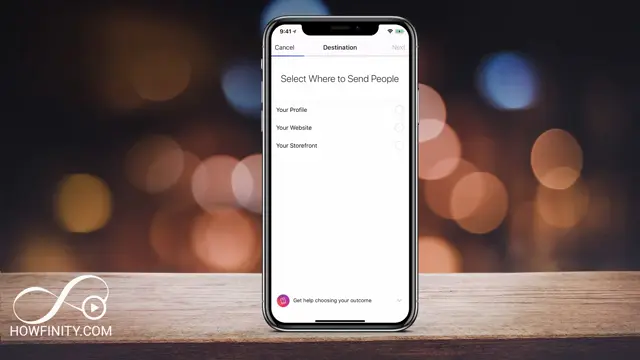
Choose where you want to direct your audience. You can select options like your profile or a website. Click ‘Edit’ next to your website link to input the desired destination for your audience.
Step 5: Choose Target Audience and Budget
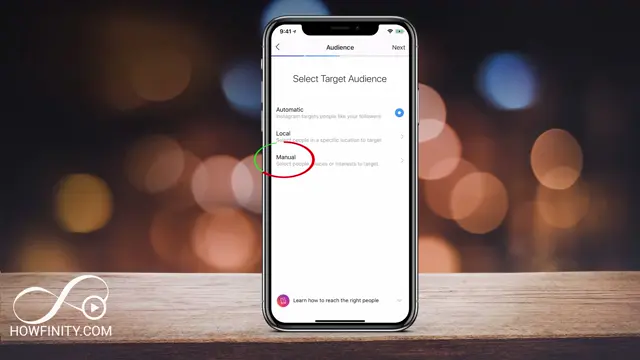
Select your audience by opting for automatic targeting or setting it manually based on location and interests. After that, set your budget to determine how much you want to spend daily on the promotion.
Step 6: Review and Confirm Your Promotion
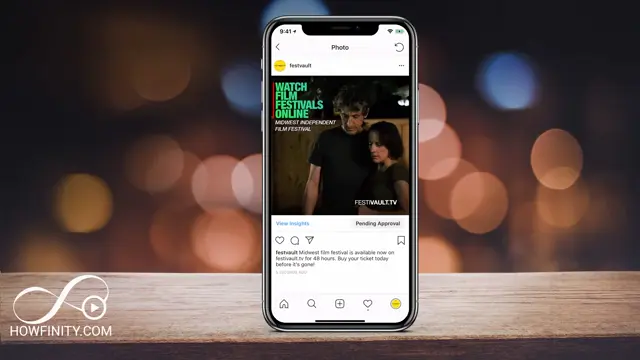
Once you’ve set everything, review your choices. Make sure your ad complies with guidelines. Press ‘Create Promotion’ to submit it for approval, keeping in mind it may take time to be reviewed.
Frequently Asked Questions
What is the Instagram promote button?
The Instagram promote button allows users to turn their posts into ads to reach a larger, targeted audience.
Can I promote an existing post?
Yes, you can promote any existing post on your Instagram profile, not just new posts.
How much does promoting posts on Instagram cost?
The cost of promoting posts on Instagram varies; you set a budget that can start from a few dollars a day.
Is a business account required to use the promote button?
Yes, you must have a business account to access the promote button and its features.
Watch the Video Tutorial
Conclusion
By following these steps, you’ll harness the power of Instagram’s promote button to grow your audience and engagement. This tool is crucial for businesses looking to boost their visibility on the platform. Happy promoting!





Leave a comment