
· By KAI
Quick answer: When comparing iCloud and Google Photos for photo recovery, iCloud provides seamless integration for Apple users, while Google Photos offers greater flexibility and cross-platform support. Each service has distinct recovery processes, storage options, and user experiences tailored to different preferences.
- iCloud integrates seamlessly with Apple devices and offers an easy restoration process.
- Google Photos allows you to recover deleted photos from the Trash within 30 days.
- Consider your device ecosystem when choosing between the two services.
- Storage limits differ significantly between iCloud and Google Photos, affecting usability.
- Understanding the recovery features of each service can prevent photo loss.
What are the primary differences between iCloud and Google Photos?
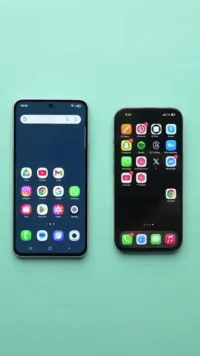
iCloud and Google Photos differ primarily in their ecosystems and user experience. iCloud is built for Apple devices, offering a streamlined experience for iPhone, iPad, and Mac users, while Google Photos functions well across all platforms, including Android. This fundamental difference influences how you manage photo backups and recoveries. iCloud emphasizes deep integration with Apple’s ecosystem, providing features like automatic backups and easy sharing within Apple apps. On the other hand, Google Photos not only supports a wide range of devices but also offers unique features such as advanced AI-powered search capabilities, allowing users to easily find images based on content without needing extensive tagging or organization.
How does iCloud photo recovery work?
iCloud photo recovery lets you restore deleted photos within 30 days of deletion through the Photos app on your iPhone. To access it, go to the Albums tab, select the Recently Deleted folder, and choose the photos you wish to recover. For iCloud.com users, simply log into your account, navigate to the Photos section, and find the Recently Deleted album, where you can recover photos back to your library. It is crucial to note that if your device is low on storage, automatic backups may fail, which can impact recovery capabilities. Ensuring sufficient storage space can make the recovery process smoother and more reliable, especially if you regularly delete photos without careful consideration.
How does Google Photos recovery work?
Google Photos provides a recovery window of 30 days for deleted items stored in the Trash. To recover photos, open the Google Photos app, navigate to the Trash folder, select the photos, and click “Restore.” This straightforward approach allows for easy retrieval of mistakenly deleted images. However, it is essential for users to periodically check their Trash folders, especially if they frequently delete photos to clear storage space. If items are not restored within 30 days, they will be permanently deleted, making it necessary to manage photos thoughtfully. For backup, enable continuous backup to automatically save every captured image when connected to Wi-Fi, reducing the chance for irretrievable losses.
Is iCloud’s photo recovery effective for large libraries?
Yes, iCloud’s photo recovery is quite effective, but its limitations can present challenges. It is essential that users are aware that recovery is limited to the last 30 days of deletions, which could be risky if you regularly delete photos unintentionally. If your library contains a significant number of images, the speed at which backups are managed can affect your recovery options, particularly if iCloud storage is nearing its limit. When approaching storage capacity, iCloud may not back up new photos, leaving them at risk of loss. Therefore, understanding personal usage patterns and maintaining enough storage to accommodate your photo library is crucial for efficient use of iCloud services.
Can Google Photos capture high-quality images after recovery?
Yes, Google Photos can recover high-quality images as long as they are within the 30-day Trash recycling period. Generally, Google Photos retains photos at their original quality unless you opted for the compressed option during backup settings. It is important to remember that switching to a free storage policy that compresses images could lead to quality loss in significant uploads. Users should choose the “Original Quality” backup option if preserving image quality is necessary, especially for photographers or those who value high-resolution images. Furthermore, understanding storage implications, such as the potential impact of converting high-quality images to a lower resolution, will enable users to make more informed decisions during uploads.
Which service offers better storage options for photo recovery?
Google Photos offers 15GB of free storage for all your files, including photos, whereas iCloud only provides 5GB without a paid plan. For users taking many photos or storing videos, Google’s more substantial base offering can be more appealing. However, potential users must weigh the implications of Google Photos’ compression settings, as opting for free storage means images might be compressed to lower their quality. Alternatively, iCloud’s paid plans increase essential storage capacity, with costs reflecting the amount of space required. For instance, if you routinely surpass the free limits on both services, assessing which platform provides the most economical rate for your needed storage capacity will allow for smarter budgeting and management.
Does the choice impact long-term photo safety?
Choosing between iCloud and Google Photos can significantly impact long-term photo safety. If you frequently switch devices or operate across many platforms, Google Photos is favorable due to its cross-compatibility. In contrast, remaining within the Apple ecosystem means iCloud may save you from compatibility issues, contributing to fewer concerns about losing access. Moreover, for users with extensive libraries, the long-term investments into paid iCloud plans could result in substantial savings over time versus frequently managing and upgrading Google Photos storage. Understanding your usage patterns and predicting future needs can considerably inform your decision between these two services, leading to optimal setup and efficient storage management.
Which one fits you?
- Apple Ecosystem User: If you primarily use Apple devices, stick with iCloud for seamless integration. iCloud’s automatic uploads, shared album features, and easy configuration with Apple products make it ideal for users deeply embedded in this ecosystem.
- Cross-Platform User: Google Photos is ideal if you use both Android and Apple products, allowing smooth transitions between devices while providing robust organizational features. This service enables users to leverage diverse devices without sacrificing functionality or accessibility.
- Budget-Conscious User: If you want generous free storage, Google Photos is better, as it starts with 15GB free. This option is especially attractive for casual users who wish to store and manage their photos without incurring ongoing costs.
- High Volume Photographer: Choose Google Photos for its higher storage limit and flexible backup options. Photographers requiring vast amounts of space for high-resolution images will benefit from its unlimited photo storage policy when using “High Quality” uploads.
What common mistakes should users avoid?
When using iCloud and Google Photos, common mistakes include ignoring backup settings, leading to data loss if photos are unintentionally deleted or not saved correctly. A failure to set up automatic backups or utilize shared albums can hinder seamless access and disaster recovery efforts. Additionally, users might forget to check storage limits; exceeding these can prevent automatic uploads. Furthermore, neglecting to regularly access and clear the Trash folders may lead to lost files that could otherwise be restored. Implementing regular audits of photo libraries and ensuring essential settings are configured properly can significantly reduce the risk of accidental data loss.
How much does each service cost in 2026?
In 2026, iCloud offers a range of plans starting from $0.99 per month for 50GB. Prices increase to $2.99 for 200GB and $9.99 for 2TB. Google Photos charges are tied to Google One subscriptions, beginning at $1.99 per month for 100GB, thereafter rising based on storage requirements. This pricing structure allows users to choose plans based on their photo volume and usage needs. Cost-effectiveness naturally comes into play when evaluating yearly expenses for both services, making it possible to determine which service is more feasible long-term. Consequently, understanding individual needs can highlight the most suitable and financially reasonable plan.
Do photos stay in Google Photos forever?
Photos in Google Photos remain available until you delete them or your storage is full. Once your quota is reached, older photos may be replaced with newly uploaded content if you haven’t paid for extra space. Therefore, regular checks of your storage are wise to avoid unintentional losses, especially for users who rely on Google Photos for business backups. It is advisable to proactively manage your uploaded content, allowing for better retention of important memories and images. Keeping an eye on storage notifications will help maintain access to all beloved images and minimize gaps in storage management.
How does sharing impact photo recovery capabilities?
Both services allow sharing features that affect photo recovery. In iCloud, shared albums can complicate individual recovery, as shared photos can be deleted by others, potentially resulting in disappearing content you cannot restore. Conversely, Google Photos enables shared albums but retains copies for individual users, offering more security in shared environments. Understanding these dynamics is essential for users who share their albums frequently, ensuring they can recover shared images only by re-inviting collaborators if necessary. Always clarify shared settings when joining collaborative albums to ensure your photos remain recoverable and accessible.
Can I recover photos from Google Photos if I accidentally deleted them?
Yes, if you’ve accidentally deleted photos from Google Photos, you can easily recover them from the Trash within 30 days. Simply access the Trash folder, select the images to restore, and follow the prompts to recover them. This straightforward process is particularly useful for users who might have deleted photos in haste, making it a salvageable solution in many scenarios. However, users should remain diligent about the time frame for recovery; it is crucial to initiate the recovery promptly to prevent permanent loss of cherished images.
Conclusion
In conclusion, both iCloud and Google Photos offer effective photo recovery options, but your choice will hinge on your specific needs and device preferences. iCloud excels in integration with Apple devices but may lack in free storage, while Google Photos provides more straightforward recovery and flexibility across platforms. Selecting the service that best aligns with your ecosystem, usage patterns, and storage needs ensures you maintain access to your invaluable memories. With this knowledge in hand, deeper exploration into individual characteristics of both platforms can lead to informed decisions, reducing photo loss and maximizing convenience. For extensive guides on photo recovery, check out the Ultimate Guide to Recover Deleted Photos from Your iPhone.




Leave a comment