
· By KAI
Quick answer: The best ad blockers for Chrome on iPhone and iPad include AdBlock Plus, AdGuard, and AdBlock for iOS. These tools vary in features and performance, helping you effectively block unwanted ads and protect your browsing experience.
- AdBlock Plus is widely recognized for its ease of use.
- AdGuard provides advanced privacy protection alongside ad blocking.
- AdBlock for iOS is effective for straightforward ad blocking tasks.
- Wipr offers a minimalist approach for users wanting less complexity.
- Ghostery helps improve internet privacy while blocking ads.
What are the top ad blockers for Chrome on iPhone or iPad?
The top ad blockers compatible with Chrome on iPhone and iPad are AdBlock Plus, AdGuard, and AdBlock for iOS. Each of these tools offers unique advantages. For instance, AdBlock Plus is favored for its user-friendly interface and efficiency in blocking ads. AdGuard goes beyond just ad blocking, providing enhanced privacy features such as tracker blocking. Additionally, it offers custom filter options that empower users to tailor their ad-blocking experience, which can be particularly useful when browsing various website types. On the other hand, AdBlock for iOS is straightforward and focuses primarily on removing pop-ups and banners. Users who prefer simplicity will gravitate towards AdBlock for iOS due to its streamlined performance without unnecessary features weighing it down.
How does AdBlock Plus compare to AdGuard?
AdBlock Plus and AdGuard serve different purposes, catering to varying user needs. AdBlock Plus is known for its effective ad-blocking capabilities and easy setup, making it an excellent choice for users who want to start blocking ads immediately without much configuration. It allows users to enjoy a seamless browsing experience right away. In contrast, AdGuard offers a broader security suite that includes not only ad blocking but also enhanced privacy features such as tracking protection and DNS filtering. For users looking for comprehensive online protection and the ability to manage how their data is shared with advertisers, AdGuard is a superior choice. Ultimately, choosing between the two will depend on whether you prioritize simple ad-blocking or a full-spectrum privacy solution.
Is AdBlock for iOS effective for Chrome users?
AdBlock for iOS is effective for users of Chrome since it blocks ads seamlessly while browsing. However, since Chrome on iOS does not support traditional extensions, configuring it via the app settings is essential. This specific method involves allowing the app to run alongside Chrome effectively. While you will enjoy an ad-free experience, it may not have the extensive features of other blockers available on desktop versions. For users who primarily seek a straightforward ad-blocking solution without the need for advanced features, AdBlock for iOS can be quite effective and will enhance your user experience while surfing the internet on Chrome.
What features should you look for in an ad blocker?
When selecting an ad blocker, consider various essential features that will meet your specific needs. Look for ease of use, an intuitive interface allows for quicker understanding and setup. The ability to block different types of ads, including pop-ups, video ads, and trackers, is crucial for maximizing your browsing experience. Additionally, speed is an important factor; many ad blockers can actually improve loading times by preventing ads from cluttering up pages. Advanced features may include custom filter lists that allow users to block specific ads while not hindering their ability to view content on trusted sites. Tools like Ghostery, which emphasize privacy alongside ad-blocking, can be beneficial if you are particularly concerned about being tracked online. Assessing all these features helps you select an ad blocker that perfectly aligns with your browsing style and needs.
Which one fits you?
For different users, specific ad blockers may be more suitable. Here are some profiles to guide your choice:
- Casual Browser: Use AdBlock Plus for an easy setup and effective ad blocking. Its simplicity will allow you to enjoy an ad-free browsing experience without learning a complex interface.
- Privacy-Conscious User: Choose AdGuard for advanced privacy features and customization. If you are concerned about tracking and data mining, AdGuard’s comprehensive options make it an ideal fit.
- Minimalist User: Wipr offers a straightforward approach without unnecessary complexities. Perfect for users who want effective ad blocking without extensive settings to manage.
- Family Setup: Opt for AdGuard, which includes parental controls to manage content across devices. This enables safe and controlled browsing for children or other family members.
- Tech-Savvy User: If you enjoy customization, consider tools that allow for fine-tuning like uBlock Origin, which is not officially on iOS but available on other platforms.
Are there any free options available?
Yes, there are numerous free options like AdBlock Plus and AdBlock for iOS that provide decent ad-blocking services. These free services can be particularly attractive for users who do not wish to invest in a subscription. Keep in mind, however, that while these services are effective at blocking standard ads, they may not offer the same level of advanced functionality found in premium versions like AdGuard. For example, AdGuard’s premium features include Smart Filtering, removal of tracking scripts, and more robust privacy controls, which can be particularly beneficial for users who prioritize their online security. For casual users, free options can significantly enhance your browsing experience, especially by reducing page clutter and improving load times.
What common mistakes do users make with ad blockers?
New users often make several common mistakes with ad blockers that could hinder their performance:
- Assuming all ad blockers work the same; not all are equal in effectiveness. It’s important to research which blockers perform best with the websites you visit most frequently.
- Neglecting to configure settings properly; spending time to customize settings can yield better results. Many blockers allow users to disable specific types of ads or whitelist sites to enhance their experience.
- Overlooking updates and new options; regularly updating your ad blocker can enhance its performance. Developers frequently release updates that improve blocking capabilities or enhance user experience, making it important to stay current.
- Failing to test its effectiveness; run tests by browsing different websites to see how well your blocker is performing. This can help identify if further tweaks are necessary.
What hidden costs should you be aware of?
While many ad blockers are free, hidden costs can arise if you opt for premium features. For instance, AdGuard provides a free tier but requires a subscription for full functionality such as tracking prevention and parental controls, generally costing around $1.99 a month or $27.99 annually. Certain users may also encounter in-app purchases for extra features that enhance performance or privacy beyond standard offerings. It is crucial to evaluate the return on investment versus the free alternatives to determine what best fits your browsing habits. Understanding your usage patterns and online behavior will help in deciding if the costs associated with an ad blocker are justified for your needs.
How to set up ad blockers on Chrome for iPhone?
Setting up an ad blocker on Chrome for iPhone involves several straightforward steps:
- Downloading the desired ad blocker app like AdBlock Plus or AdGuard from the App Store.
- Following the setup instructions provided in the app to integrate it with Chrome properly.
- Adjusting settings to fine-tune ad-blocking capabilities according to your preferences. Many apps allow for whitelisting to support specific sites while blocking others.
Proper configuration is crucial to ensure the ad blocker functions effectively alongside your Chrome browser and provides optimal blocking coverage throughout your browsing sessions.
Can you use multiple ad blockers at once?
Using multiple ad blockers simultaneously is generally not recommended. Overlapping functionality may lead to performance issues or conflicts, such as constant blocking prompts or issues loading certain web pages. It is advisable to choose one reliable ad blocker that meets your needs comprehensively. Tools often have different strengths, so consider the specific features you require as outlined above to make your choice. For instance, if you choose AdGuard for its privacy features, it might not benefit you to pair it with another ad blocker that plays a similar role.
Does Apple’s Safari have built-in ad blocking options?
Yes, Apple’s Safari on iOS includes built-in ad blocking options that can enhance your browsing experience. Users can activate settings to limit the tracking of ads and offer a basic level of ad blocking. However, if you specifically require more advanced ad-blocking capabilities in Chrome, you will need to rely on third-party applications. Safari’s built-in tools can work effectively in tandem with these apps, but they may not provide the depth of blocking power some users require, particularly in a more dynamic browsing environment.
How do ad blockers affect browsing speed?
Ad blockers generally improve browsing speed by preventing ads from loading. Studies have shown that, on average, enabling ad blockers can lead to a 20-30% reduction in page load times, helping you have a smoother online experience. This speed boost happens because the browser does not waste resources downloading large ad files and scripts, allowing it to render web pages much faster. Users often notice significant improvements in sites that typically use heavy advertising. While the specific speed increase can depend on the site’s configuration and the ad blocker used, users will frequently find their overall web experience to be significantly more agile.
Which feature differentiates Ghostery from others?
Ghostery is unique due to its strong focus on privacy; it not only blocks ads but also prevents tracking by analytics and advertisement networks. By monitoring the number of trackers on the websites you visit, Ghostery offers a dashboard to visualize how many third parties are attempting to collect data. If maintaining confidentiality while browsing is a priority for you, Ghostery stands out among other ad blockers as it provides insights into privacy threats. Additionally, users can manage and block specific trackers, enhancing control over their online data footprint.
How to manually adjust the settings for a perfect balance of privacy and functionality?
To achieve a perfect balance, regularly check your ad blocker’s settings to ensure it’s effectively blocking unwanted ads without hindering website performance. Many ad blockers allow you to whitelist specific sites where ads can be displayed, helping to support content creators while keeping your experience pleasant. Utilize custom filter lists to block intrusive ads while allowing acceptable ads that do not disrupt your browsing experience. Adjust frequency lists based on your preferences. Periodic adjustments can lead to an optimized balance according to your usage patterns, ultimately giving you a better browsing experience tailored to your needs.
In summary: Which ad blocker should you choose?
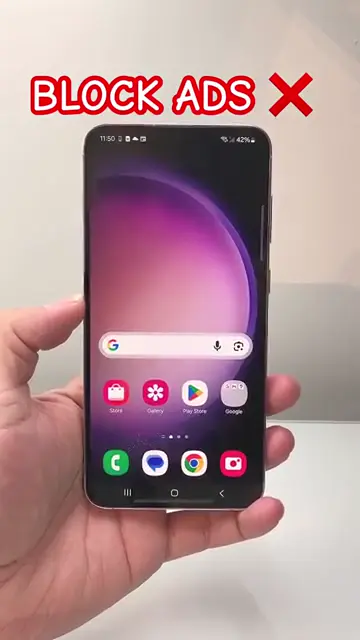
In 2026, there are several excellent ad blockers available for Chrome on iPhone and iPad. AdBlock Plus is highly effective for an easy user experience, while AdGuard provides additional privacy protection features. AdBlock for iOS is suitable for straightforward ad blocking. Ultimately, the choice depends on your specific needs, level of desired privacy, and willingness to pay for premium features. Make sure to assess your browsing habits and what you prioritize most, be it simplicity, advanced features, or a blend of both, to choose the right ad blocker for you. For detailed information on how to block ads, explore our comprehensive guide on how to block ads on Chrome iPhone or iPad.




Leave a comment